Duty management for schools
Duty rota software for schools
Build your gate, break, lunch and bus duty rotas once, then let Cover Manager keep them covered. When someone is off, their duties are released, the right people are told, and duty cover is shared fairly alongside lesson cover.
Duty management
Duty rotas that cover themselves
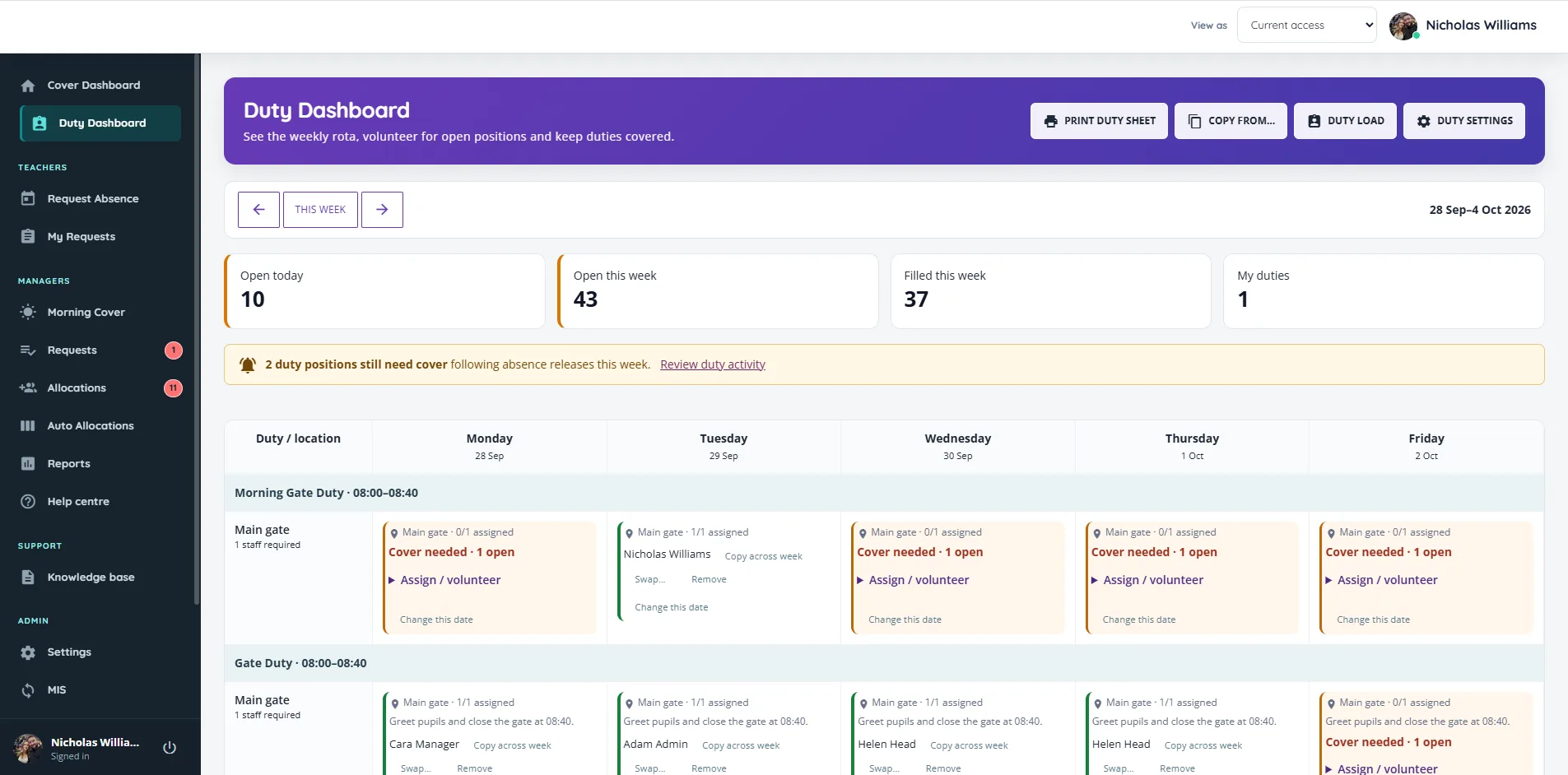
Gates, breaks, lunch and lockers, in the same system as lesson cover. When a member of staff is off, their duties are released and the people who need to know are told.
Lesson and duty cover together
One fair picture of who has done what
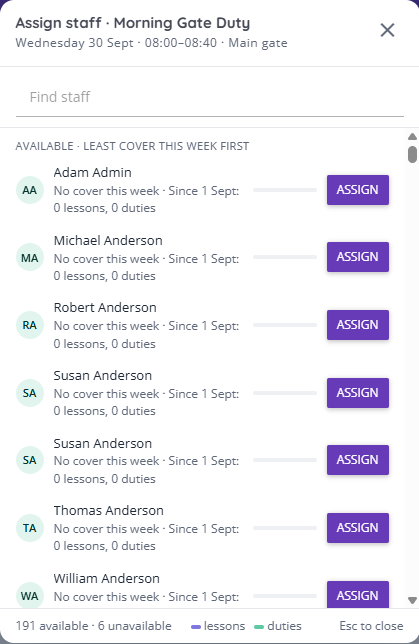
This is the part no spreadsheet can do. Cover Manager counts lesson cover and duty cover together, across the week and since September.
- Someone covering Period 5 drops to the bottom of the list for Lunch 1.
- Someone who has covered two lessons this week sits below a colleague who has done none when a Friday duty comes up.
- Staff running an after-school club go lower that day when everything else is level.
- Lesson cover suggestions do the same in reverse, so nobody is handed a lesson and a duty on the same day where it can be avoided.
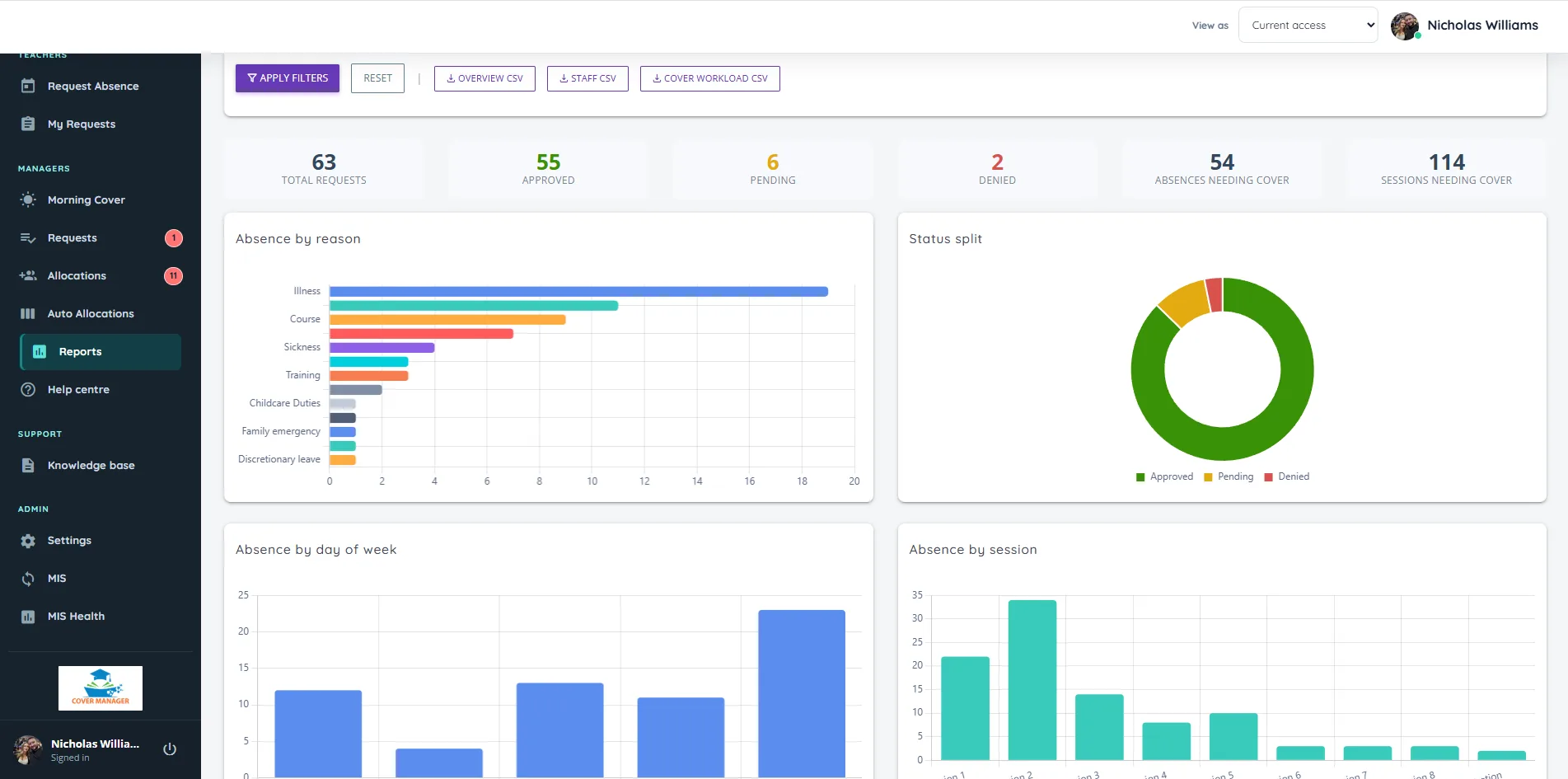
The Duty load report shows each person’s lesson covers, duties and club time for the week, the month or the year, so fairness is something you can show staff, not just promise.
Lesson cover and duties, connected
One absence. Everything updates.
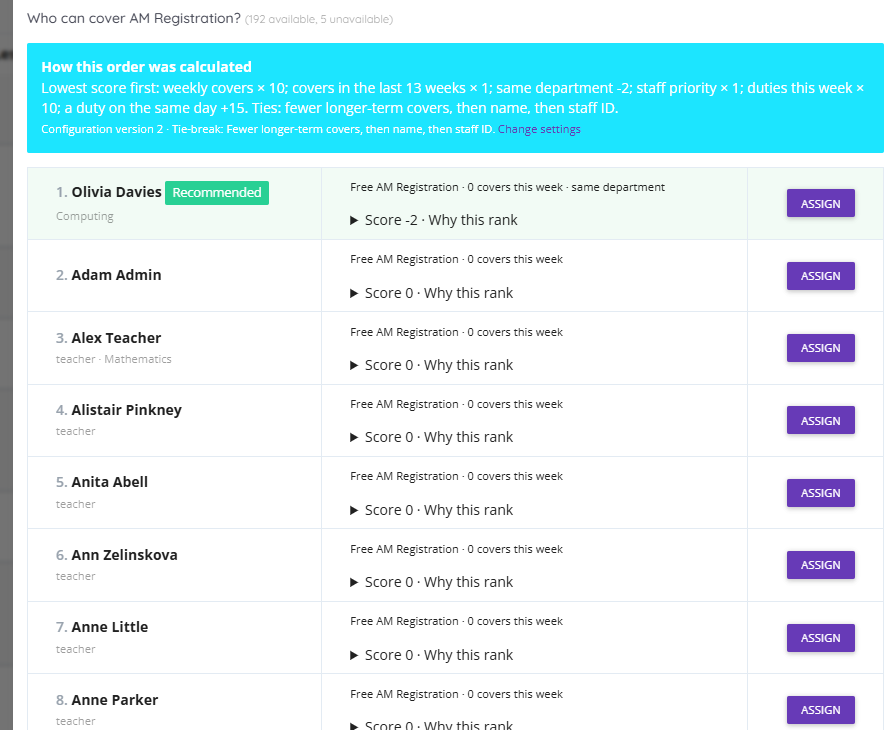
Approve an absence once and Cover Manager follows it through everywhere it matters, so nothing falls between the lesson cover list and the duty rota.
- The lessons that need cover appear. Cover Manager reads the timetable, so a teacher away all day with two lessons creates two lessons to cover, ready in Morning Cover.
- Their duties are released. Any duty that clashes with the absence opens up for cover, and duty managers get one email listing what needs filling. If the timing is uncertain, the duty is flagged for a manager to check rather than guessed.
- Their own cover is handed back. If they were already down to cover a colleague’s lesson, that cover is released too, so a class is never left with nobody.
- They stop being suggested. They no longer appear as free for lesson cover or duties while they are away, and a pending request already counts.
- Everyone is told the right thing. The daily cover sheet lists lesson and duty cover together. Staff get their cover the day before, and anyone taken off a lesson they were told about hears that they are no longer needed.
Absence reasons stay private throughout: duty managers and colleagues see that cover is needed, never why.
Configurable
Set up the way your school works
Every school runs cover differently, so almost everything is a setting rather than a fixed rule. Your own team changes it from the Settings screen, with no support ticket needed, and every suggestion explains which settings it followed.
You can also switch cover work on or off, choose whether staff see who is absent on the calendar, add your school’s colours and logo, and decide whether staff use the iPhone app.
Questions
Frequently asked questions
Short answers to what schools ask us most.
Can it manage duty rotas as well as lesson cover?
Yes. Duty management covers gates, breaks, lunch and other supervision by period and location. It releases duties when someone is absent, lets you set who can cover each duty, and balances duty cover with lesson cover so the same staff are not asked for both on the same day.
What happens when someone with a duty is absent?
When their absence is approved, any duty that clashes with it is released and opens up for cover, and duty managers get one email listing what needs filling. If they were down to cover a colleague’s lesson, that is released too. If the timing is unclear, for example a session with no fixed time, the duty stays with them and is flagged for a manager to check. The reason for the absence is never shared.
Can we set who is allowed to cover each duty?
Yes. Limit a duty to named staff, keep particular people off it, and mark first choices and last resorts. The same rules apply when staff volunteer, so nobody can sign up for a duty they should not do.
Can staff volunteer for duties?
Yes. Staff who are eligible can volunteer for open positions from the Duty Dashboard or see why they cannot, such as a club or a lesson at that time. You set how close to the start a volunteer can still drop out.
Can we stop people being asked when they are not free?
Yes. Record part-time days and hours, protected planning periods, and clubs or other regular commitments. Cover Manager will not offer someone cover or a duty outside their hours, and a club can block a clashing duty or simply move that person lower on the list that day.
Does the duty rota need our MIS?
No. Duty management works on its own, so you can run your rota before your MIS is connected. Connecting the MIS adds lesson timetables, so Cover Manager can also avoid giving a duty to someone who is teaching.
Can we print the duty rota?
Yes. Print a weekly duty sheet with every position, who is on it and which places still need cover, and duty cover is included on the daily cover sheet.
Is there a mobile app?
Yes. Cover Manager for Education is free on the App Store for iPhone and iPad. Staff request cover and follow their requests, managers approve with one tap, and cover managers review and approve suggestions with the reason for each. Each school chooses whether staff can use it, and whether they can request absence from it.
How much does Cover Manager cost?
Pricing depends on your school and setup and is confirmed as part of a demo and scoping conversation. Book a demo to see the platform and talk through what is right for your school.
See it with your own week
Cover sorted before the bell
Book a 30-minute demo and we will walk through a real week of absences, lesson cover and duties, then talk through Microsoft sign-in and your MIS connection.
Questions first? Send us a message. We are happy to help.
Explore: Cover management · Staff absence · Duty rotas · Free duty rota template