
How to share cover fairly in schools
Cover is one of the quickest ways to lose goodwill in a staffroom. Most people accept that colleagues are ill and someone has to step in. What they will not accept is the feeling that it is always them. This guide sets out a practical way to share lesson cover and duty cover fairly, and to show staff that it is fair.
1. Decide what counts as cover
Before you can share cover fairly you need to agree what you are counting. A teacher on a daily gate duty is doing their rostered job, not covering. Count the extra work people pick up because a colleague is away:
- Lessons covered for an absent colleague.
- Duties taken on because the rostered person was absent.
- Duties someone volunteered for to fill a gap.
Keep rostered duties separate. If you count the rota as cover, the people with daily duties look busy all year and are never asked to cover, which pushes everything onto everyone else.
2. Count lesson cover and duty cover together
A member of staff who covered two lessons on Monday and a lunch duty on Tuesday has done three pieces of cover this week. If lesson cover and duty cover live in separate spreadsheets, nobody sees that, and the same reliable people get asked for both. Keep one count per person that includes both kinds of cover.
3. Look at this week and the longer term
A single week is a short window. Someone can have a quiet week after covering heavily for a month. Use two numbers when choosing who to ask:
- This week: stops anyone being overloaded in the short term.
- Since the start of term or year: evens things out over time, so the same people do not always come top.
Ask the person with the least cover this week first, and use the longer count to decide between people who are level.
4. Only ask people who are actually free
Fairness breaks down if the list of names includes people who cannot do it. Before anyone is asked, check they are not:
- Teaching at that time.
- Absent, or waiting on an absence request for that day.
- Running a club, a meeting or another commitment at that time.
- Outside their working hours if they work part time.
- Already on another duty at the same time.
Write commitments down. A club that runs every Thursday lunchtime is easy to forget at 7:45 in the morning, and asking someone who is unavailable wastes time and goodwill.
5. Agree the rules for each duty
Not everyone can cover every duty. Some duties need a first aider, some need someone who knows the pupils, and some people should only be asked as a last resort, such as senior leaders. Record these rules once rather than relying on memory:
- Who is allowed to cover each duty.
- Who should be asked first.
- Who should only be asked when there is nobody else.
6. Release duties as soon as an absence is approved
The most common duty gap is a duty nobody realised was uncovered. When an absence is approved, check the person’s duties for those days straight away and treat them as needing cover. If the absence is only part of the day, only release the duties that fall within it.
7. Make the numbers visible
Staff trust a system they can see. Share a simple termly summary of cover by person. It answers the question “why me again?” with facts, and it shows leaders where cover is concentrated before it becomes a workload problem.
Free duty rota template
Our free template has a weekly duty rota laid out by duty period and location, plus a cover log for recording who covered which duty. It opens in Excel, Google Sheets or Numbers.
Doing this without spreadsheets
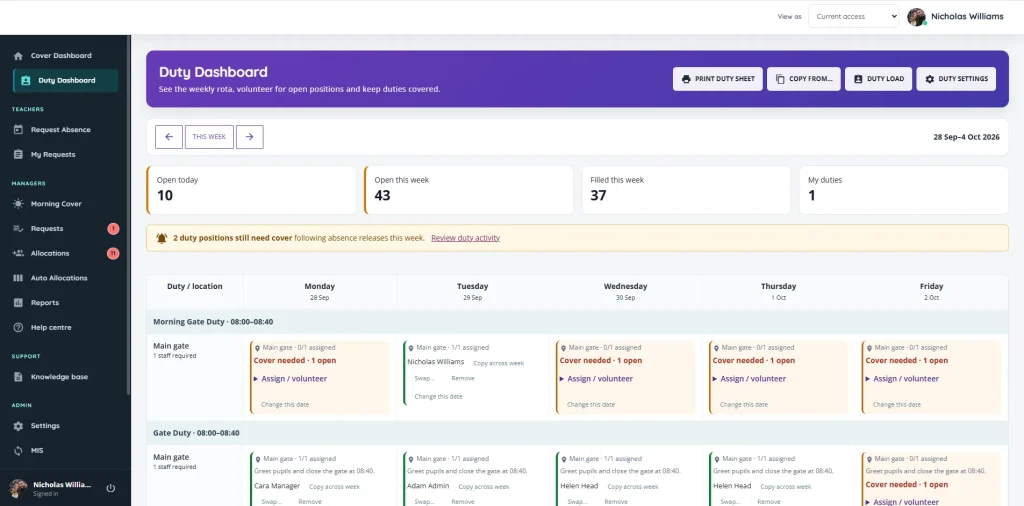
A spreadsheet works for a small team, but it relies on someone checking timetables, absences and clubs by hand every morning. Cover Manager does those checks for you. It releases duties when an absence is approved, only suggests people who are free, and orders suggestions by how much lesson and duty cover each person has done this week and this year. See duty rota software and cover management software for how it works, or book a demo.
