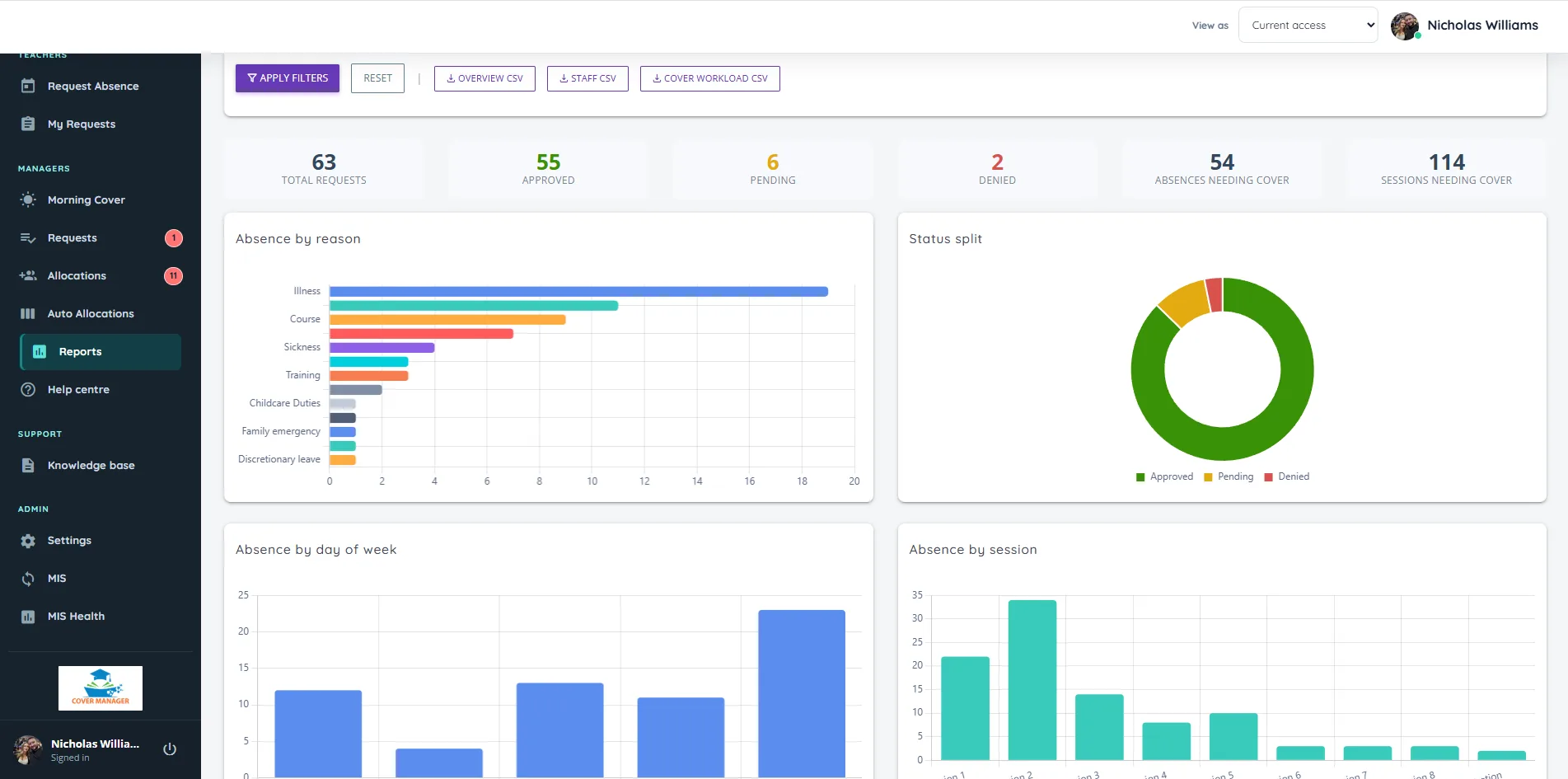
Cover management software
Cover management software for schools
See which lessons need cover the moment an absence is approved, get fair suggestions with the reason for each, and send the daily cover sheet without retyping a thing.
Lesson cover
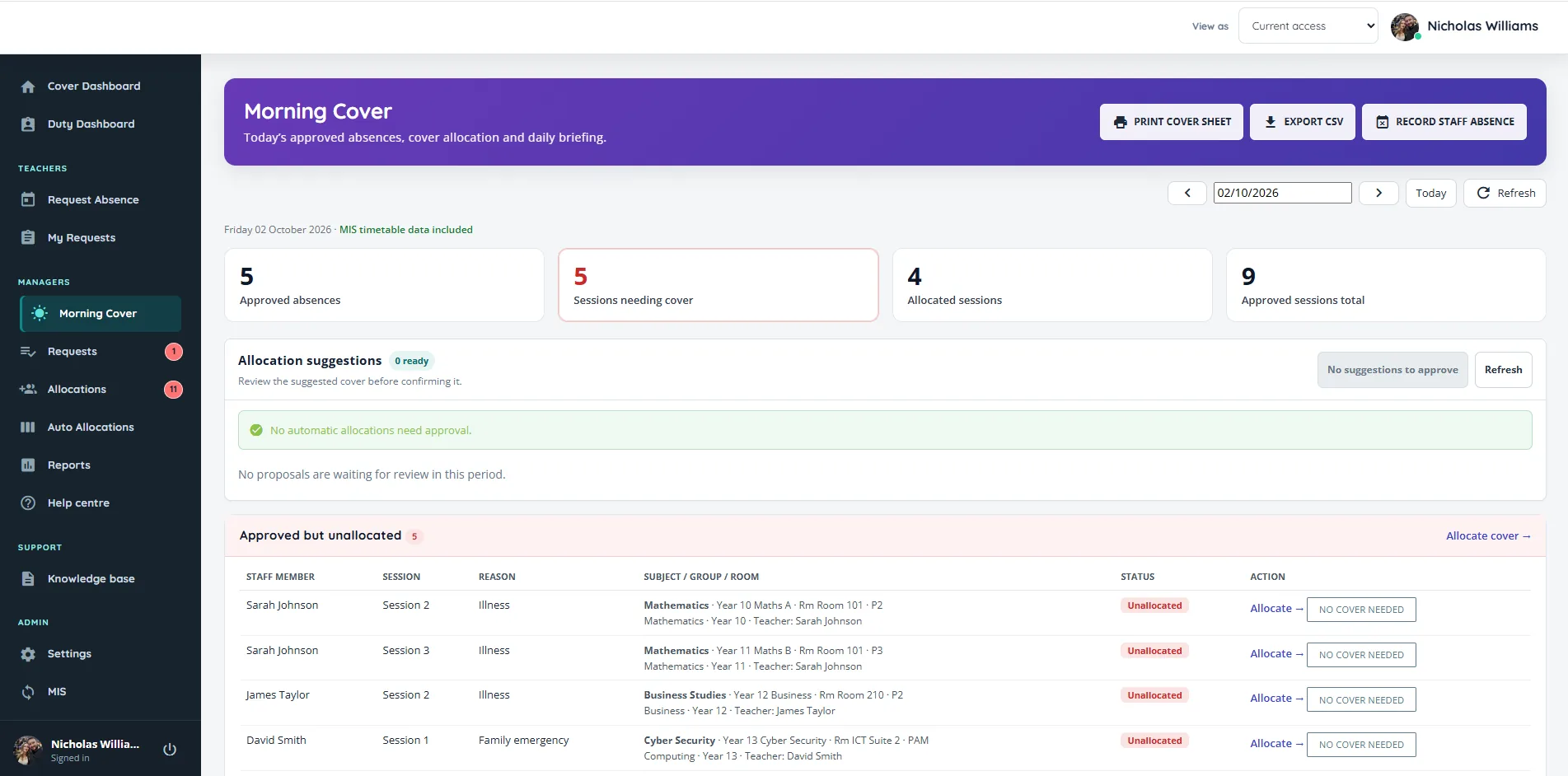
Lesson cover that is fair, and explained
Allocate cover with or without cover work, and know every suggestion stands up.
- Never suggests someone who is absent, teaching, or part-time and not in that day.
- Balances cover across the week and since September, so the willing few are not overused.
- Shows why each person is suggested, for example “1 cover this week · same department”.
- Optional school rules for staff groups, teaching phases and fallback order.
- Mark lessons as No Cover Needed, change or remove an allocation, and see past, today and upcoming at a glance.
Morning Cover
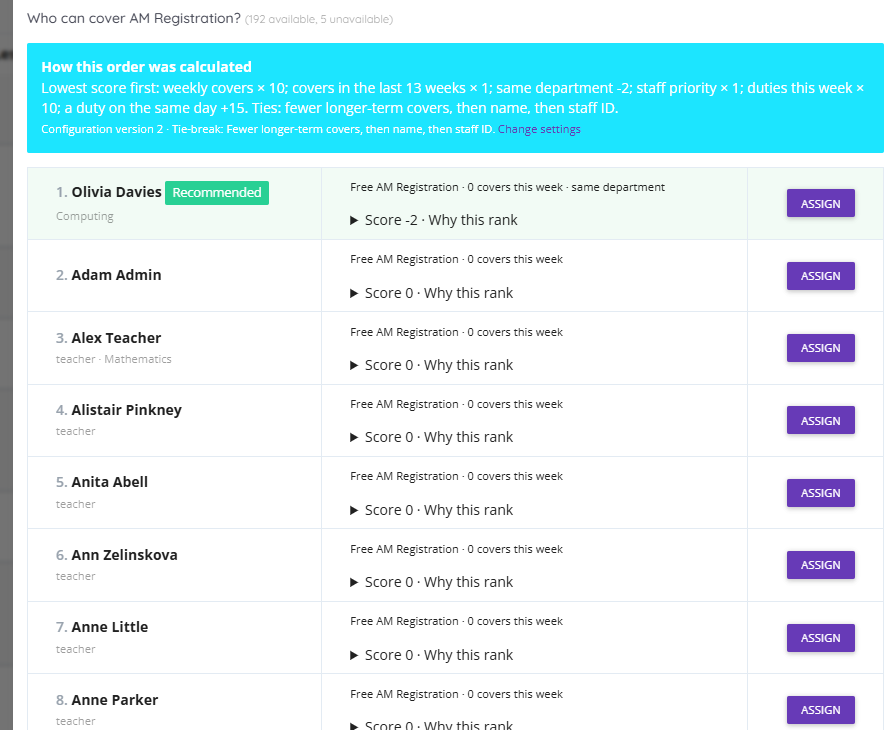
Built for the 7:45 rush
One screen for the start of the day: who is off, which lessons still need cover and who is free to take them. Record a sickness call in seconds, for one person or several, and print or email the daily cover sheet with lesson and duty cover together. The weekly calendar shows every absence and cover, and each person sees their own cover first.
- Record absence in seconds
- Daily cover sheet, printed or emailed
- Each person sees their own cover
Lesson and duty cover together
One fair picture of who has done what
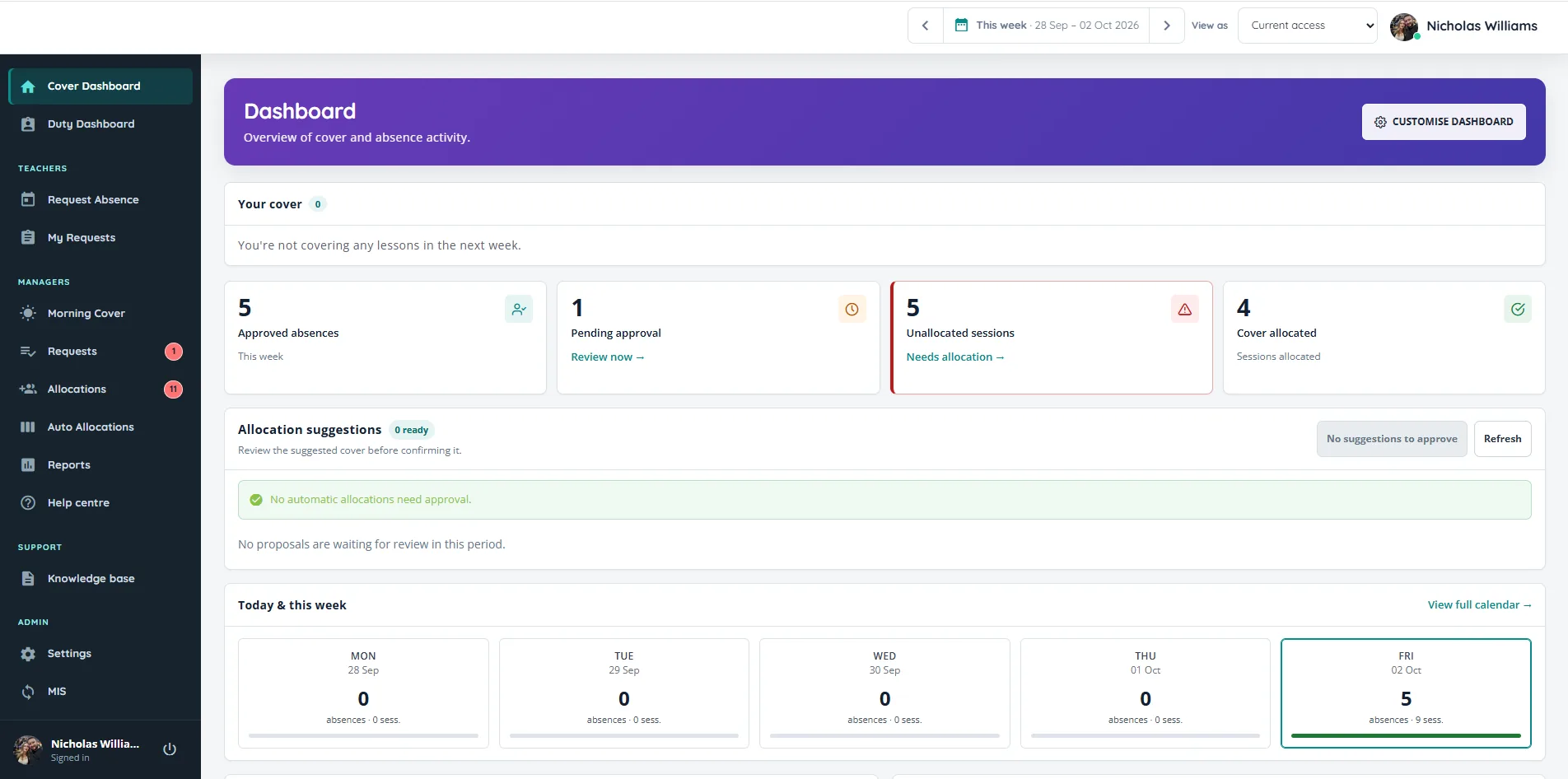
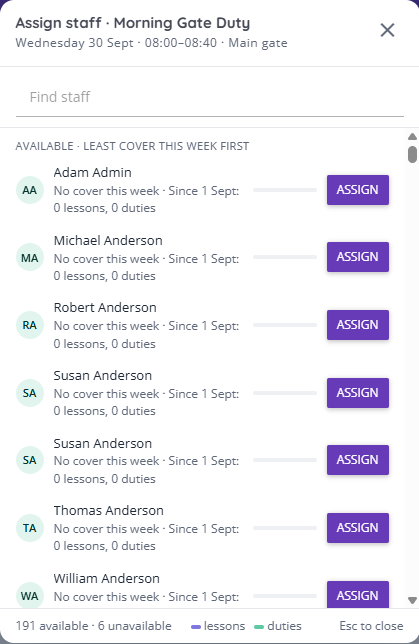
This is the part no spreadsheet can do. Cover Manager counts lesson cover and duty cover together, across the week and since September.
- Someone covering Period 5 drops to the bottom of the list for Lunch 1.
- Someone who has covered two lessons this week sits below a colleague who has done none when a Friday duty comes up.
- Staff running an after-school club go lower that day when everything else is level.
- Lesson cover suggestions do the same in reverse, so nobody is handed a lesson and a duty on the same day where it can be avoided.
The Duty load report shows each person’s lesson covers, duties and club time for the week, the month or the year, so fairness is something you can show staff, not just promise.
Sign-in, MIS and roles
Works with your MIS and Microsoft
- MIS timetable through Wonde: SIMS, Arbor, Bromcom, iSAMS and others, showing subject, class, room and period on every cover.
- Microsoft Entra sign-in: staff use their school Microsoft account, with no extra passwords.
- Role-based access: staff, line managers, cover managers, duty managers, heads and administrators each see what they need.
- Working patterns: record part-time days and hours so nobody is offered cover when they are not in school.


Configurable
Set up the way your school works
Every school runs cover differently, so almost everything is a setting rather than a fixed rule. Your own team changes it from the Settings screen, with no support ticket needed, and every suggestion explains which settings it followed.
You can also switch cover work on or off, choose whether staff see who is absent on the calendar, add your school’s colours and logo, and decide whether staff use the iPhone app.
Questions
Frequently asked questions
Short answers to what schools ask us most.
How does Cover Manager decide who to suggest for cover?
It only suggests staff who are free: not absent, not teaching and in school that day. It then ranks them by how much lesson and duty cover they have done this week and since September, alongside any school rules, and shows the reason next to every name. A manager always confirms.
Can we change how cover is shared out?
Yes. You decide how much weight goes on cover done this week, cover over a longer period, same-department cover and duties already picked up, and you can set daily and weekly limits. You can also group staff, set teaching phases and a fallback order, and nudge individuals up or down. Every suggestion shows the reason, so you can see your settings at work.
Does it allocate cover automatically?
It prepares suggestions for every lesson that needs cover, with the reason for each, and a manager approves them, one at a time or everything that is ready at once. Nothing is confirmed without a person checking it, and availability is checked again at that moment.
Can we attach cover work?
Yes, if you want to. Attach instructions and work to each lesson and track whether it has been added, or switch cover work off entirely if your school does not use it.
Can we mark a lesson as not needing cover?
Yes. Mark any lesson as No Cover Needed, for example when the class is out on a trip. It leaves the cover list and shows as one line on the daily cover sheet, and you can undo it.
Can we stop people being asked when they are not free?
Yes. Record part-time days and hours, protected planning periods, and clubs or other regular commitments. Cover Manager will not offer someone cover or a duty outside their hours, and a club can block a clashing duty or simply move that person lower on the list that day.
Does it work with our MIS?
Yes. Cover Manager connects to your MIS timetable through Wonde, including SIMS, Arbor, Bromcom, iSAMS and IRIS. That is how it knows which lessons an absence affects and shows subject, class, room and period on every cover. Availability depends on your MIS permissions.
Do staff get told about their cover?
Yes. By default each person gets one email the school day before listing all of their cover, at a time you choose, and anything added later is emailed straight away. You can switch to emailing each allocation as it happens instead. Staff can also see their cover on the dashboard and in the iPhone app.
How much does Cover Manager cost?
Pricing depends on your school and setup and is confirmed as part of a demo and scoping conversation. Book a demo to see the platform and talk through what is right for your school.
See it with your own week
Cover sorted before the bell
Book a 30-minute demo and we will walk through a real week of absences, lesson cover and duties, then talk through Microsoft sign-in and your MIS connection.
Questions first? Send us a message. We are happy to help.
Explore: Cover management · Staff absence · Duty rotas · Free duty rota template